

The Rise of Unhinged Marketing: How Duolingo Found Success on TikTok
The Rise of Unhinged Marketing: How Duolingo Found Success on TikTok Introduction In the era of post-tootsie roll pop commercials, Duo, the big green mascot of language-learning app Duolingo, has become a social media sensation. With its TikTok account amassing nearly...

Achieving Goals: Overcoming Roadblocks to Success
Achieving Goals: The Three Roadblocks to Success Introduction Starting out on a long career can be both exciting and frustrating. You set goals for yourself, but sometimes it feels like you're not making any progress. It's important to understand the reasons behind...
Mind Over Matter: How to Stay Positive in a Negative World
Mind Over Matter: How to Stay Positive in a Negative World Introduction Let's face it, the world can be a dark and negative place. Whether it's the constant barrage of bad news on our screens or the daily stressors of work and relationships, maintaining a positive...

How to Navigate the Hilarious World of Online Dating: Tips, Tricks, and Funny Stories
How to Navigate the Hilarious World of Online Dating Introduction Online dating has revolutionized the way people meet and fall in love, but it has also given birth to a whole new world of hilarious experiences. From amusing bios to eccentric profile pictures, the...

How to Rebrand as a Creator and Stay Relevant: Lessons from Lisa De La Cruz
## How to Rebrand as a Creator and Remain Relevant ### Introduction In the fast-paced world of content creation, staying relevant is crucial. As consumer interests and platforms evolve, so should the creators. That's why many content creators find themselves facing...

The Art of Witty Blogging: Crafting Engaging Content with Personality
The Art of Witty Blogging: Crafting Engaging Content with Personality Introduction: Let Your Words Dance with Wit In the vast ocean of digital content, it has become increasingly challenging to capture and maintain the attention of readers. With millions of blog posts...

Embracing the Risk of Growth: A Journey to Success
Embracing the Risk of Growth: A Journey to Success Introduction Growth is a journey that often makes us feel uneasy. It's natural to experience fear and hesitation when stepping outside of our comfort zones. After all, the unknown can be intimidating, and the fear of...

How to Build an Email List: The Ultimate Guide to Customer Retention
# How to Build an Email List and Increase Customer Retention In the world of marketing, customer retention is key. It costs more to attract a new customer than to keep an existing one. That's why focusing on customer retention is a valuable long-term solution for...
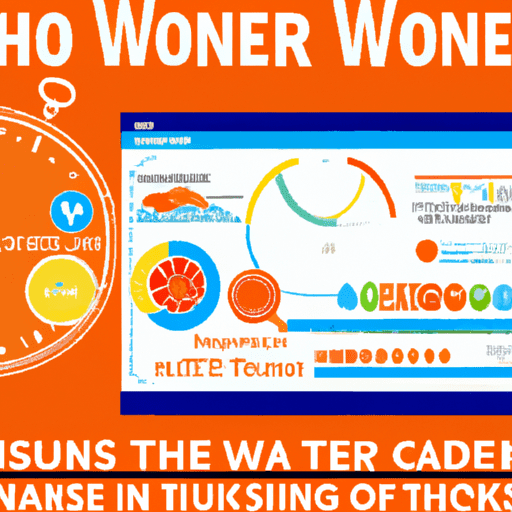
Title: “The Ultimate Guide to Creating Stunning Infographics in PowerPoint: A Step-by-Step Tutorial” Introduction: Infographics are a powerful tool for visual storytelling in the digital age. But creating them can be intimidating. Luckily, HubSpot’s Free Infographic Templates in PowerPoint make it easy to create high-quality infographics in under an hour. In this guide, we’ll walk you through the process of creating a captivating infographic that effectively conveys your message. 1. Choose the Perfect Template: Discover the right template for your data set and content. HubSpot offers a variety of templates, from timelines to flowcharts, ensuring your infographic is organized and visually appealing. 2. Set a Clear Goal: Craft a compelling narrative by identifying the purpose of your infographic and the desired action you want from your audience. Educate, persuade, inform, or inspire – know your goal to structure your content accordingly. 3. Understand Your Audience: Effective communication is key, so get to know your audience. Tailor your infographic to their interests and motivations, ensuring it resonates and captures their attention. 4. Collect and Organize Your Content: Gather relevant data that tells a story and provides valuable insights. Organize it logically and coherently, citing sources to maintain credibility. 5. Customize Your Infographic: Make your infographic unique by replacing placeholder text and graphics with your own information. Use PowerPoint’s features to create charts, graphs, and visuals that enhance your data. 6. Include a Footer with Sources and Logo: Add credibility and authenticity by including a footer with links to your sources and your company logo. This makes it easier to recognize and share your content. 7. Promote and Publish: Publish your infographic on your blog to enhance visual appeal and improve SEO. Make it shareable with a Pinterest button and an embed code. The more exposure it gets, the greater the impact. Closing Summary: Creating stunning infographics doesn’t have to be daunting. With HubSpot’s Free Infographic Templates in PowerPoint, you can easily create professional and impactful infographics in under an hour. Follow our guide to captivate your audience, effectively convey your message, and boost engagement. Start creating your own professional infographics today!
Title: The Ultimate Guide to Creating Stunning Infographics in PowerPoint Introduction: Infographics are an incredibly powerful tool for visual storytelling in the age of information overload. However, many people are intimidated by the idea of creating their own...
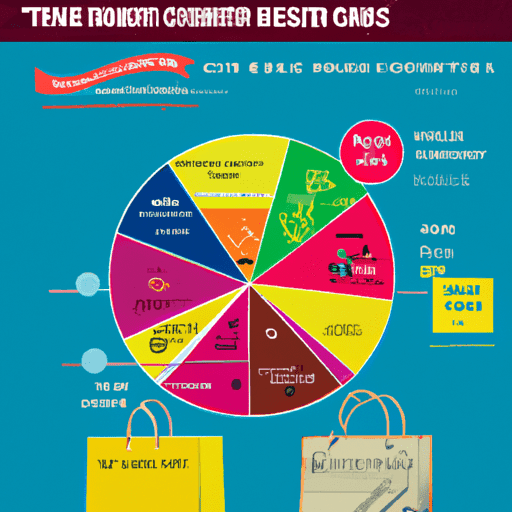
Understanding Consumer Buying Behavior Trends in Online Shopping: Impact of Marketing, Visual Content, and COVID-19
Understanding Consumer Buying Behavior Trends in Online Shopping Introduction Online shopping has become a daily routine for many consumers, and businesses need to stay relevant to thrive in this digital marketplace. As a copywriter, I conducted surveys to gain...